DIY Smart Home Installation Costs for 2026: What 10 Popular Upgrades Actually Cost vs Professional Installation
Ads
Smart home technology continues to transform how Americans live, but understanding the true costs of DIY versus professional installation remains crucial for budget-conscious homeowners planning upgrades in 2026.
Smart home technology has evolved rapidly, offering homeowners unprecedented control over their living spaces while potentially increasing property values. However, the decision between tackling installations yourself or hiring professionals involves more than just comparing price tags. This guide examines ten popular smart home upgrades, breaking down exactly what each option costs in 2026 and helping you determine which approach works best for your situation.
Smart Thermostats: The Gateway to Home Automation
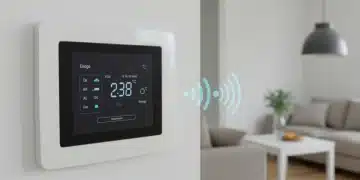
Smart thermostats represent the most common entry point into home automation, and for good reason. These devices learn your preferences, optimize energy usage, and can significantly reduce heating and cooling bills over time. The technology has become remarkably user-friendly, making DIY installation viable for most homeowners.
When considering a smart thermostat, the device itself typically ranges from $120 to $250, depending on features and brand reputation. Popular options like the ecobee SmartThermostat or Google Nest Learning Thermostat fall in the mid-to-premium range, offering voice control compatibility, room sensors, and detailed energy reporting. The installation process generally takes 30 to 60 minutes for those comfortable working with basic electrical equipment, though older homes may require a C-wire adapter, adding $20 to $40 to the total cost.
Professional installation introduces additional expenses but eliminates potential complications. HVAC technicians typically charge $75 to $150 per hour, with most thermostat replacements completed in under two hours. This means professional installation can add $150 to $300 to your project, though the peace of mind and guaranteed proper setup may justify the expense for some homeowners. The total DIY cost typically lands between $140 and $290, while professional installation ranges from $270 to $550.
Key Considerations Before Installation
- Check your existing wiring compatibility before purchasing
- Verify WiFi coverage in thermostat location
- Consider whether you need additional room sensors
- Account for potential C-wire adapter requirements
The decision often comes down to comfort level with electrical work and whether your specific setup presents unusual challenges. Most modern homes with standard HVAC systems will find DIY installation straightforward and cost-effective.
Smart Lighting Systems: Bright Ideas for Every Budget
Lighting control represents one of the most visually impactful smart home upgrades, offering convenience, energy savings, and the ability to set mood and ambiance throughout your living spaces. The market offers two primary approaches: smart bulbs and smart switches, each with distinct cost implications and installation requirements.
Smart bulbs provide the easiest entry point, requiring no electrical work whatsoever. These screw-in replacements connect directly to your existing fixtures and can be controlled via smartphone apps or voice assistants. Quality smart bulbs cost between $15 and $30 each, meaning a typical living room with four to six bulbs runs $60 to $180. For a modest three-bedroom home, budget approximately $200 to $500 for comprehensive smart bulb coverage.
Smart switches, conversely, replace your existing wall switches and require basic electrical work. While more expensive upfront—ranging from $25 to $70 per switch—they work with standard bulbs and eliminate the need to replace every individual bulb. DIY installation of smart switches demands confidence working with electrical boxes, including dealing with ground, neutral, and load wires. If your electrical box lacks a neutral wire, compatibility issues may arise, potentially requiring an electrician’s assessment.
Professional installation of smart switches typically costs $75 to $150 per switch, including labor and materials. For a typical home with eight to twelve switches, professional installation adds $600 to $1,800 to your project. The DIY route keeps costs between $200 and $840 for the switches themselves, making it significantly more economical for budget-conscious homeowners willing to handle basic electrical work.
Smart Security Cameras: Protecting What Matters Most
Home security cameras have become essential for many households, offering remote monitoring, motion alerts, and valuable evidence in case of incidents. The installation complexity varies dramatically between indoor cameras, which simply require a power outlet, and outdoor cameras, which may involve mounting, weatherproofing, and potentially running wiring.
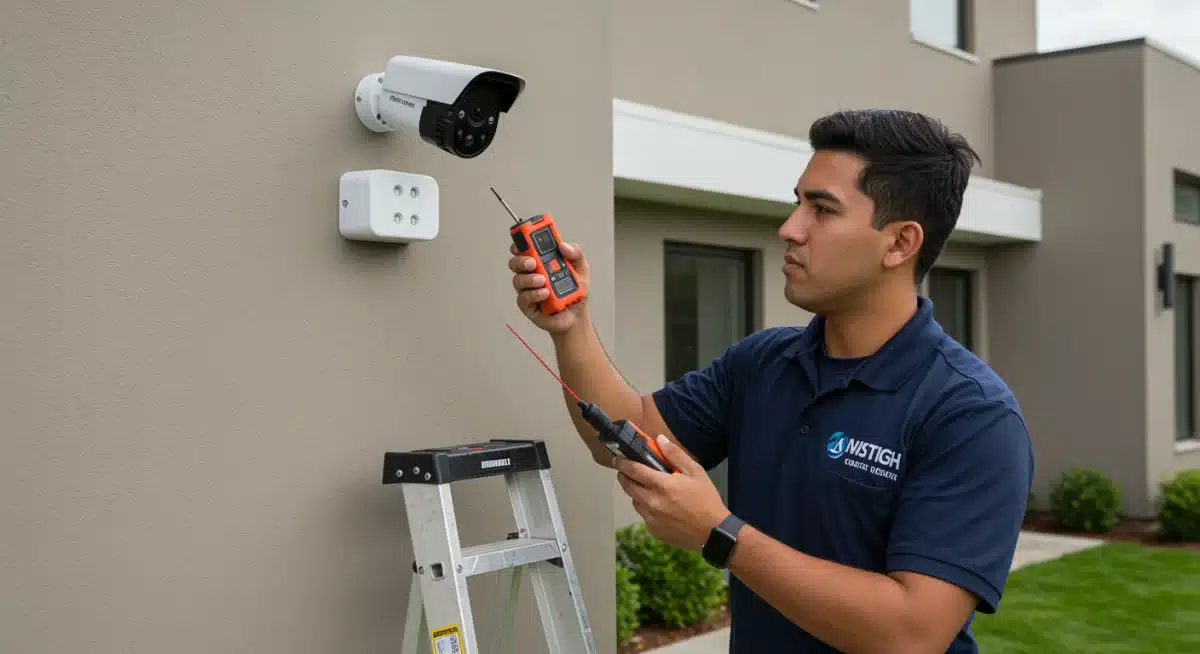
Indoor security cameras represent the most budget-friendly option, with quality devices ranging from $30 to $150 each. These typically mount on shelves or walls using included hardware and connect via WiFi. A comprehensive indoor camera system for a medium-sized home—covering entry points, living areas, and bedrooms—might include four to six cameras, totaling $120 to $900 for equipment alone. Installation requires minimal tools and typically takes under an hour per camera.
Outdoor cameras introduce additional considerations. Hardwired outdoor cameras offer reliability but require professional installation, with costs ranging from $150 to $400 per camera including installation. Battery-powered outdoor cameras have bridged this gap, offering wire-free installation for $80 to $250 per camera. These units typically mount using included brackets and require periodic battery charging or replacement.
Professional security camera installation, particularly for hardwired systems, typically costs $100 to $200 per camera, plus any necessary wiring work. For a complete six-camera system—two outdoor, four indoor—DIY costs range from $380 to $1,100, while professional installation runs $1,200 to $2,800. The significant price difference makes DIY attractive for those comfortable with basic mounting and smartphone setup procedures.
Smart Door Locks: Keyless Convenience and Enhanced Security
Smart door locks eliminate the need for physical keys, offering keyless entry through codes, smartphone apps, or fingerprint recognition. These devices enhance security through activity logging and the ability to grant temporary access to guests or service providers without physical key exchanges.
Quality smart locks range from $100 to $300, with popular options like August, Schlage, and Yale offering various features at different price points. Basic models with keypad entry start around $100, while premium versions with fingerprint scanning and built-in WiFi reach $250 or more. Most smart locks fit standard door preparations, though measuring your existing deadbolt dimensions before purchasing remains essential.
DIY installation typically requires 30 to 90 minutes per lock, involving removal of the existing deadbolt and installation of the smart lock mechanism. Most manufacturers provide detailed instructions and video tutorials, making the process manageable for moderately handy homeowners. The primary challenges involve ensuring proper alignment and battery installation.
Professional locksmith installation adds $75 to $150 per lock, though some smart lock retailers offer included professional installation with purchase. For the typical homeowner, DIY installation costs between $100 and $300 per lock, compared to $175 to $450 for professional installation. The straightforward nature of deadbolt replacement makes this another strong candidate for the DIY approach.
Smart Home Hubs: The Brain of Your Automation
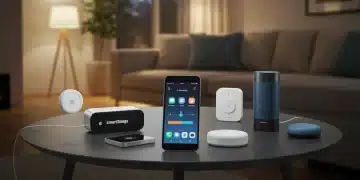
A smart home hub serves as the central command center for your connected devices, enabling automation routines, voice control integration, and centralized monitoring. While many devices now work directly with cloud services, hubs offer improved reliability, faster response times, and enhanced privacy by processing commands locally.
Dedicated hubs like SmartThings, Home Assistant, or Hubitat range from $50 to $200, with varying levels of complexity and capability. SmartThings offers user-friendly setup and broad device compatibility, while Home Assistant provides maximum customization for tech-savvy users willing to invest time in configuration. The choice largely depends on your technical comfort level and the sophistication of automation you wish to achieve.
Installation primarily involves software configuration rather than physical setup, though some users opt to mount their hub neatly and run ethernet connections for improved reliability. Professional smart home installation services may charge $100 to $300 for hub setup and initial device pairing, though this represents poor value given the primarily software-based nature of the work.
DIY hub installation costs nothing beyond the device itself, making it the clear economical choice. The learning curve varies significantly based on the chosen platform, but abundant online resources, community forums, and manufacturer support make self-education achievable for motivated homeowners.
Smart Plugs and Outlets: Simple Automation Starters
Smart plugs represent the most affordable entry point into home automation, offering remote control and scheduling for any plugged-in device. These compact devices fit between your outlet and traditional plugs, adding smart capabilities to lamps, fans, coffee makers, and other electronics without requiring any electrical work.
Quality smart plugs cost between $10 and $30 each, with multi-packs offering better value. A starter kit with three to five plugs typically runs $25 to $50. For comprehensive coverage of a typical home, budget $50 to $150 for ten to fifteen smart plugs scattered throughout living spaces.
Smart outlets, which replace your existing wall outlets entirely, cost $15 to $40 each and require basic electrical work similar to smart switches. These offer a cleaner appearance and permanent installation but introduce more complexity than plug-in options.
Professional installation of smart outlets runs $75 to $150 per outlet, making DIY strongly preferred for this category. Even accounting for the occasional purchase of a plug-in smart plug versus a more complicated smart outlet, the DIY approach saves substantial money with minimal technical barriers.
Voice Assistants: Your Digital Companion
Voice assistants like Amazon Alexa, Google Assistant, and Apple Siri serve as the primary interface for many smart home interactions. These devices range from compact speakers to full touchscreen displays, with prices spanning from $20 to $250 depending on features and audio quality.
The most popular options include the Amazon Echo series, Google Nest speakers, and Apple HomePod. Budget speakers with basic functionality start around $20 to $50, while premium models with superior audio quality reach $150 to $250. Screen-based devices like the Echo Show or Nest Hub add visual interfaces for $85 to $280.
Setup requires only a smartphone app and WiFi connection, making this category entirely DIY-friendly with no professional installation value. A household typically benefits from two to four voice assistants placed in central locations, with total costs ranging from $50 to $500 depending on feature preferences.
Smart Smoke and Carbon Monoxide Detectors: Life-Saving Technology
Smart smoke and carbon monoxide detectors provide critical safety benefits, including smartphone alerts when you’re away from home, automatic emergency service notification options, and detailed incident reporting. These devices represent essential upgrades for comprehensive home safety.
Quality smart detectors cost $60 to $170 each, with leading options from First Alert, Nest, and Kidde offering various features. Most jurisdictions require smoke detectors in specific home locations, so replacing existing units with smart versions often makes sense during normal replacement cycles. A typical home might require four to eight detectors, totaling $240 to $1,360 for equipment.
Installation varies by model. Battery-powered smart detectors install identically to traditional detectors—simply mount to ceilings using included hardware. Hardwired versions require electrical connection, potentially necessitating professional installation if you’re uncomfortable working with household wiring.
Professional installation for hardwired detectors runs $75 to $150 per unit, while battery-powered versions require no professional involvement. Given the straightforward installation of battery-powered options, DIY makes sense for most homeowners unless electrical work is specifically required.
Smart Irrigation Controllers: Garden Management
Smart irrigation controllers optimize outdoor watering schedules based on weather data, soil conditions, and plant types, potentially reducing water bills while maintaining healthier landscapes. These devices replace traditional sprinkler timers and connect to WiFi for remote access and automatic adjustments.
Quality smart sprinkler controllers range from $80 to $250, with Rachio, Hunter, and Rain Bird offering popular options. The primary installation challenge involves wiring the new controller to your existing sprinkler system’s valve wires, typically requiring connection to a standard transformer.
DIY installation takes two to four hours for those comfortable with basic electrical connections and sprinkler system identification. Professional installation by landscapers or irrigation specialists typically runs $100 to $250, including setup and programming. Given the moderate complexity, DIY installation saves $100 to $250 per project while providing valuable knowledge about your irrigation system.
Home Theater and Entertainment Integration
Smart home integration extends to entertainment systems, with smart TVs, streaming devices, and whole-home audio systems offering unified control possibilities. While premium installations can become extraordinarily complex, basic smart entertainment setup remains accessible to most homeowners.
Smart TVs range from $300 to $3,000, while streaming devices like Roku, Apple TV, or Fire TV cost $30 to $180. Whole-home audio systems with smart features, including Sonos and similar multi-room solutions, run $100 to $500 per speaker or zone.
Professional installation for complex home theater systems can cost $500 to $5,000 or more, including acoustic treatment, wiring concealment, and calibration. However, basic smart TV and streaming device setup requires no professional intervention. The decision largely depends on the sophistication of your desired system and comfort with audio/video equipment configuration.
| Upgrade Type | DIY Cost Range |
|---|---|
| Smart Thermostat | $140 – $290 (device + basic materials) |
| Smart Lighting | $200 – $840 (switches) or $200 – $500 (bulbs) |
| Security Cameras | $380 – $1,100 (indoor + outdoor system) |
| Smart Door Locks | $100 – $300 per lock |
Frequently Asked Questions
DIY installation typically saves between 30% and 60% compared to professional installation costs. For a complete smart home system covering thermostats, lighting, security cameras, and smart locks, savings can range from $1,000 to $3,500 or more, depending on the scope of your project and local professional labor rates.
Smart bulbs, smart plugs, voice assistants, and indoor security cameras offer the easiest DIY installation, requiring no electrical work or special tools. Smart thermostats, outdoor cameras, and smart locks involve moderate complexity but remain achievable for most homeowners with basic DIY skills and appropriate tutorials.
Professional installation becomes worthwhile when dealing with complex electrical work, whole-home wiring projects, integrated home theater systems, or when your existing infrastructure requires significant modification. Additionally, if you’re uncomfortable working with electrical systems or lack time to learn configuration, professional installation provides peace of mind.
Most modern smart home devices support major platforms like Amazon Alexa, Google Home, or Apple HomeKit, enabling cross-brand compatibility. However, some devices only work within specific ecosystems. Checking platform compatibility before purchasing ensures all your devices will work together seamlessly.
Smart thermostats typically offer the best ROI through energy savings, often paying for themselves within two to three years. Smart locks and security systems can increase property appeal and potentially reduce insurance premiums. While exact returns vary, most homeowners recover much of their investment through utility savings and increased property value.
Conclusion
The smart home landscape in 2026 offers unprecedented opportunities for homeowners to enhance convenience, security, and energy efficiency. By understanding the true costs of both DIY and professional installation approaches, you can make informed decisions that balance your budget with your technical comfort level. Many popular upgrades—particularly smart bulbs, plugs, voice assistants, and indoor devices—offer compelling value through straightforward DIY installation. More complex projects involving electrical work or comprehensive system integration may warrant professional assistance. Ultimately, the best approach depends on your specific situation, but the potential savings from DIY installation often make it the preferred choice for budget-conscious homeowners willing to invest a modest amount of time in learning.